OT, but I don't know what ng it would be on-t for, and I hate the web.
I tried to log into my bank on the old computer, which I used for at
least 5 years and logged in with many times, but it said the info was
wrong, the UserID or password. Win10. I tried 2 or 3 times.
Then I went downstairs and logged in there with no trouble. Win11.
Then just now a day or two later I wes upstairs and tried again with the >first computer, twice, and again it would not let me.
How can this be? What is going on?
OT, but I don't know what ng it would be on-t for, and I hate the web.It may be that the bank uses a form of two step notification where when
I tried to log into my bank on the old computer, which I used for at
least 5 years and logged in with many times, but it said the info was
wrong, the UserID or password. Win10. I tried 2 or 3 times.
Then I went downstairs and logged in there with no trouble. Win11.
Then just now a day or two later I wes upstairs and tried again with the first computer, twice, and again it would not let me.
How can this be? What is going on?
OT, but I don't know what ng it would be on-t for, and I hate the web.
I tried to log into my bank on the old computer, which I used for at
least 5 years and logged in with many times, but it said the info was
wrong, the UserID or password. Win10. I tried 2 or 3 times.
Then I went downstairs and logged in there with no trouble. Win11.
Then just now a day or two later I wes upstairs and tried again with the first computer, twice, and again it would not let me.
How can this be? What is going on?
micky wrote:
Then just now a day or two later I wes upstairs and tried again with the
first computer, twice, and again it would not let me.
How can this be?
Is the computer remembering the username/password, or are you?
On Sat, 11/22/2025 7:09 AM, micky wrote:
OT, but I don't know what ng it would be on-t for, and I hate the web.
I tried to log into my bank on the old computer, which I used for at
least 5 years and logged in with many times, but it said the info was
wrong, the UserID or password. Win10. I tried 2 or 3 times.
Then I went downstairs and logged in there with no trouble. Win11.
Then just now a day or two later I wes upstairs and tried again with the
first computer, twice, and again it would not let me.
How can this be? What is going on?
We need some more color commentary with these setups.
Like, the versions of things in the working and
not working cases, whether the login dialogs look
different at all.
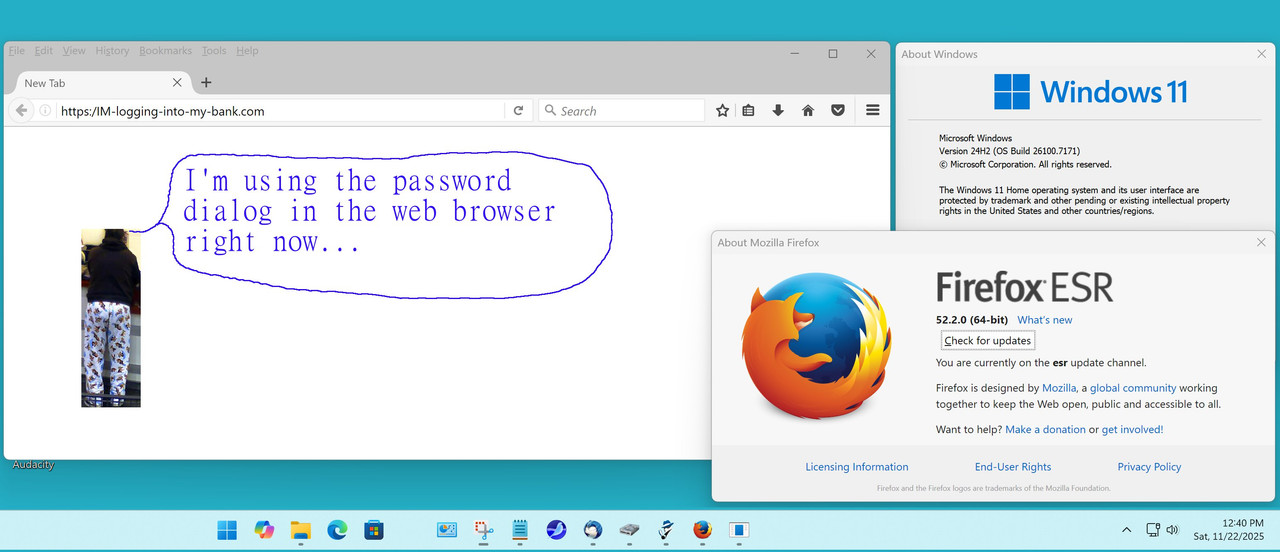
[Picture]
https://i.postimg.cc/Z585721y/logging-at-the-bank.jpg
It could be, that the working version is using an
authentication token from a few days ago, and when
that ages out, that config will stop working too.
Maybe one setup uses a web browser, the other uses
a MyBank Metro.App ?
Maybe they use 2FA or a pair of FIDO keys or
a biometric identification method, or so on.
You need to paint us enough of a picture so we
can make a credible stab at it.
The picture of the individual used in my example,
that's just to establish someone who is in a
relaxed frame of mind while logging in.
Paul
In alt.comp.os.windows-10, on Sat, 22 Nov 2025 13:16:41 -0500, Paul <nospam@needed.invalid> wrote:
On Sat, 11/22/2025 7:09 AM, micky wrote:
OT, but I don't know what ng it would be on-t for, and I hate the web.
I tried to log into my bank on the old computer, which I used for at
least 5 years and logged in with many times, but it said the info was
wrong, the UserID or password. Win10. I tried 2 or 3 times.
Then I went downstairs and logged in there with no trouble. Win11.
Then just now a day or two later I wes upstairs and tried again with the >>> first computer, twice, and again it would not let me.
How can this be? What is going on?
We need some more color commentary with these setups.
Like, the versions of things in the working and
not working cases, whether the login dialogs look
different at all.
Actually when it didn't work, there were two login pages. The one that comes up first with fields on the left (for Bank of America) and the one
that comes up when the first try fails, with fields in the middle horizontally.
I'm using Firefox 145.0 (64-bit) in win11 and probably the same in
win10.
[Picture]
https://i.postimg.cc/Z585721y/logging-at-the-bank.jpg
It could be, that the working version is using an
authentication token from a few days ago, and when
that ages out, that config will stop working too.
I don't even know what a token is, but I don't think there is one in
use.
Maybe one setup uses a web browser, the other uses
a MyBank Metro.App ?
No, I would have mentioned something like that. Both using Firefox, the
most recent verison for 11, and I think that's the same version for 10.
But even if it's not, I dont' think there is any relevant distinction between the current version and what would work on win10.
Maybe they use 2FA or a pair of FIDO keys or
a biometric identification method, or so on.
I think BoA used to want some confirmation whenever the Firefox version changed, and in Firefox that's all the time. I'm sure I wasn't the only
one who disliked that and I think they stopped and go by some id of the computer itself.
At any rate, it didn't offer to send a code
I don't share my biometry with anyone! And boa has never asked.
On 11/22/2025 7:09 AM, micky wrote:
OT, but I don't know what ng it would be on-t for, and I hate the web.It may be that the bank uses a form of two step notification where when
I tried to log into my bank on the old computer, which I used for at
least 5 years and logged in with many times, but it said the info was
wrong, the UserID or password. Win10. I tried 2 or 3 times.
Then I went downstairs and logged in there with no trouble. Win11.
Then just now a day or two later I wes upstairs and tried again with the
first computer, twice, and again it would not let me.
How can this be? What is going on?
you first log in to the bank the bank puts a key on your computer. The >next time you log on you enter your id and pass word the bank request
the key, if the key can not be provided the log in fails. Usually when
you first log on from a new system with the key authentication the first >time the bank will text or email a number to enter, the number will >authenticate the log in and the key will be saved. From the computer
you can successfully login from you may check your profile and insure
that your phone number can receive text and all of your other
information is correct.
There was a time with our bank when the same thing was happening both >computer were at the same update level of Windows 10. When login in
with the same password and id, one computer would fail the other log in >successfully.
I would call the bank and ask them for help.
In alt.comp.os.windows-10, on Sat, 22 Nov 2025 09:22:41 -0500, knuttle <keith_nuttle@yahoo.com> wrote:When you log in the first time the bank puts a Key on your computer. Subsequent login this Key is past to the bank, the bank does not ask you
On 11/22/2025 7:09 AM, micky wrote:
OT, but I don't know what ng it would be on-t for, and I hate the web.It may be that the bank uses a form of two step notification where when
I tried to log into my bank on the old computer, which I used for at
least 5 years and logged in with many times, but it said the info was
wrong, the UserID or password. Win10. I tried 2 or 3 times.
Then I went downstairs and logged in there with no trouble. Win11.
Then just now a day or two later I wes upstairs and tried again with the >>> first computer, twice, and again it would not let me.
How can this be? What is going on?
you first log in to the bank the bank puts a key on your computer. The
next time you log on you enter your id and pass word the bank request
the key, if the key can not be provided the log in fails. Usually when
you first log on from a new system with the key authentication the first
time the bank will text or email a number to enter, the number will
authenticate the log in and the key will be saved. From the computer
you can successfully login from you may check your profile and insure
that your phone number can receive text and all of your other
information is correct.
I have to read this 3 more times until I can follow it. ;-) But I
think you said the bank would request a key. It didn't. It just said
what I entered didn't match their records And I still had a few tries
left [until they stopped me from trying for a day or two, or made me
call them. It didn't say what the punishement was for being wrong too
many times.]
I must have logged in from the new computer at least once, because it
didn't want to send me a code first.
There was a time with our bank when the same thing was happening both
computer were at the same update level of Windows 10. When login in
with the same password and id, one computer would fail the other log in
successfully.
Amazing. I guess for both of us, there was something going on like
you describe above, or something even more complicated.
BoA doesn't make me change my password or ATM code and I like that, so
maybe they have some better way of checking these things.
I would call the bank and ask them for help.
No real need. I can just use the new computer. I don't log in very
often.
T
OT, but I don't know what ng it would be on-t for, and I hate the web.
I tried to log into my bank on the old computer, which I used for at
least 5 years and logged in with many times, but it said the info was
wrong, the UserID or password. Win10. I tried 2 or 3 times.
Then I went downstairs and logged in there with no trouble. Win11.
Then just now a day or two later I wes upstairs and tried again with the >first computer, twice, and again it would not let me.
How can this be? What is going on?
In alt.comp.os.windows-11, on Sat, 22 Nov 2025 07:09:10 -0500, micky <NONONOmisc07@fmguy.com> wrote:
OT, but I don't know what ng it would be on-t for, and I hate the web.
I tried to log into my bank on the old computer, which I used for at
least 5 years and logged in with many times, but it said the info was
wrong, the UserID or password. Win10. I tried 2 or 3 times.
Then I went downstairs and logged in there with no trouble. Win11.
Then just now a day or two later I wes upstairs and tried again with the
first computer, twice, and again it would not let me.
How can this be? What is going on?
Well, it finally let me log in from upstairs, so they've probably
destroyed any evidence of how/why they were stopping me before. Another computer mystery.
| Sysop: | Tetrazocine |
|---|---|
| Location: | Melbourne, VIC, Australia |
| Users: | 14 |
| Nodes: | 8 (0 / 8) |
| Uptime: | 93:05:19 |
| Calls: | 184 |
| Files: | 21,502 |
| Messages: | 81,190 |