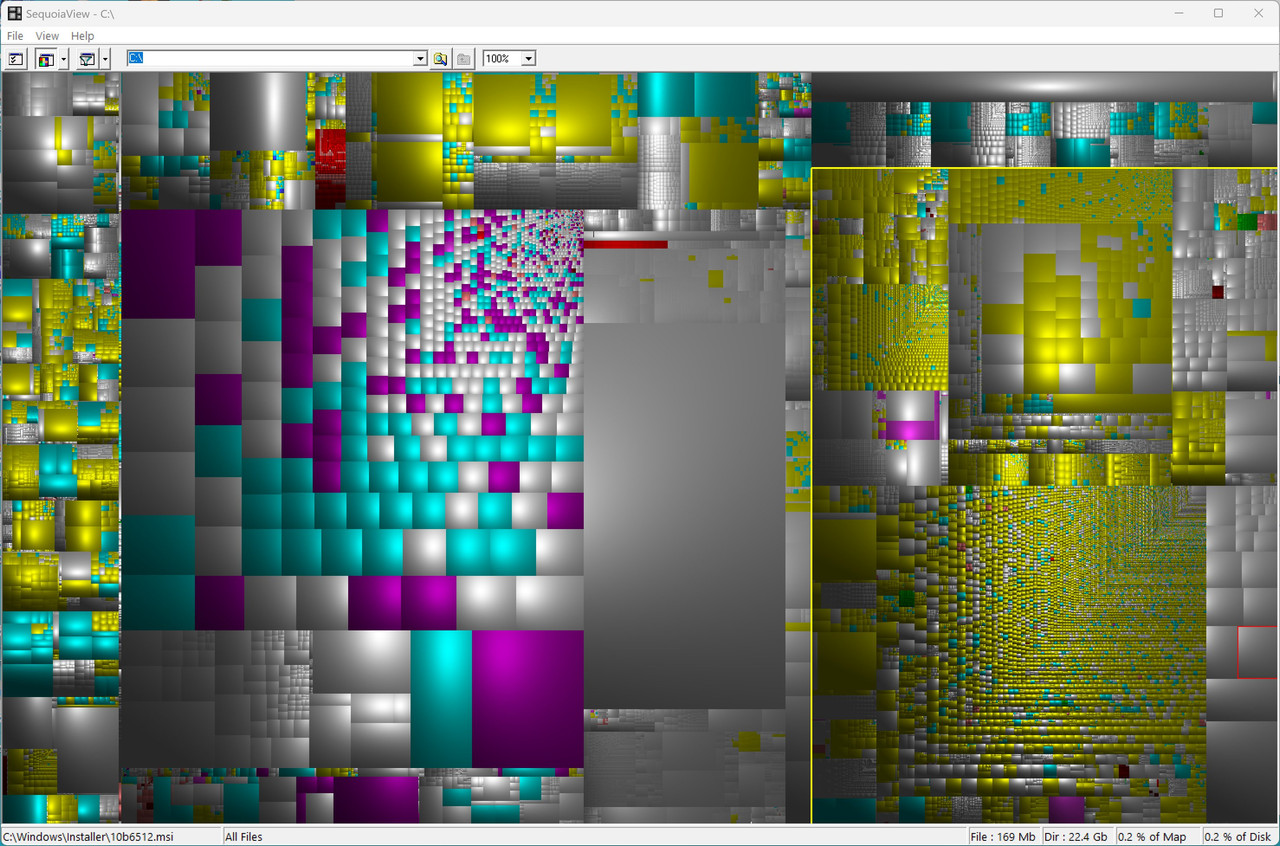
This is just a PSA where my circa 2009 desktop works just fine on Windows
10 but today, it was out of memory even though I had about 5GB left.
Huh?
Where did 5GB of data suddenly go?
C:\> wmic logicaldisk get name,freespace,size
C:\> vssadmin list shadowstorage
I checked all the usual suspects (which is a long list I maintain) such as:
C:\> dism /online /cleanup-image /analyzecomponentstore
Win+R > cleanmgr > Clean Up System Files > OK
C:\> del /s /q C:\Windows\Prefetch\*
C:\> del %LOCALAPPDATA%\CrashDumps\*
etc.
But it wasn't any of the usual suspects!
It was hyberfile.sys!
WTF?
Sleep is off. Fast startup is off. Everything related to power is off.
Point being that I haven't turned on hibernation in more than a decade.
Q: How the heck did hibernation get turned on without me doing it?
A: I don't know the answer.
But the solution was simple once I saw that hiberfile.sys was the culprit:
powercfg /h off
Note: Obviously I had turned that off years ago, so "something" in the
recent days turned hiberfile.sys back on. But what? I do not know.
This is just a PSA where my circa 2009 desktop works just fine on Windows
10 but today, it was out of memory even though I had about 5GB left.
Huh?
Where did 5GB of data suddenly go?
C:\> wmic logicaldisk get name,freespace,size
C:\> vssadmin list shadowstorage
I checked all the usual suspects (which is a long list I maintain) such as:
C:\> dism /online /cleanup-image /analyzecomponentstore
Win+R > cleanmgr > Clean Up System Files > OK
C:\> del /s /q C:\Windows\Prefetch\*
C:\> del %LOCALAPPDATA%\CrashDumps\*
etc.
But it wasn't any of the usual suspects!
It was hyberfile.sys!
WTF?
Sleep is off. Fast startup is off. Everything related to power is off.
Point being that I haven't turned on hibernation in more than a decade.
Q: How the heck did hibernation get turned on without me doing it?
A: I don't know the answer.
But the solution was simple once I saw that hiberfile.sys was the culprit:
C:> powercfg /h off
Note: Obviously I had turned that off years ago, so "something" in the
recent days turned hiberfile.sys back on. But what? I do not know.
This is just a PSA where my circa 2009 desktop works just fine on Windows
10 but today, it was out of memory even though I had about 5GB left.
Huh?
My theory?
A Windows servicing stack power-policy reset triggered during a Defender update cycle.
Can I prove that?
Nope.
But since it happened, there must be a mechanism for it to happen.
It's all I can think of that might do it without the users' knowledge.
I'll let you know if hiberfile.sys ever comes back alive again.
Maria Sophia wrote:
Apparently, it "can" happen.
Apparently it "did" happen.
How the heck did this happen that hibernation was turned on but not by me?
Based on Winston's kind and helpful comment that it can't happen, I'm faithfully digging into if/how an unsupported Win10 box can change the
power configuration without the user's consent, as it surprised me too.
Especially as I'm testing what happens on an unsupported Win10 box.
(I never signed up for the MSA so I can't get the free ESU updates.)
Certainly I received Windows Defender updates as shown below:
Security Intelligence Update for Microsoft Defender Antivirus
KB2267602 (Version 1.447.105.0) - Current Channel (Broad)
Successfully installed on 3/31/2026
Security Intelligence Update for Microsoft Defender Antivirus
KB2267602 (Version 1.447.96.0) - Current Channel (Broad)
Successfully installed on 3/30/2026
Apparently Windows defender updates use the Windows servicing stack.
Which is apparently the same infrastructure used for Windows Update.
Apparently the servicing stack periodically validates system configuration. Apparently if a power policy has issues, Windows restores defaults.
Where the default for Windows 10 is:
a. Hibernation ON
b. HibernateEnabled = 1
c. hiberfil.sys created
As shown by:
C:\> reg query HKLM\SYSTEM\CurrentControlSet\Control\Power /v HibernateEnabled
My theory?
A Windows servicing stack power-policy reset triggered during a Defender update cycle.
Can I prove that?
Nope.
But since it happened, there must be a mechanism for it to happen.
It's all I can think of that might do it without the users' knowledge.
There is a way to stop this, but it's nuclear.
C:\> powercfg /h off
C:\> cd C:\
C:\> echo. > hiberfil.sys
C:\> attrib +r +s +h hiberfil.sys
C:\> reg add HKLM\SYSTEM\CurrentControlSet\Control\Power /v HibernateEnabled /t REG_DWORD /d 0 /f
That supposedly will permanently disable hibernation by turning it off, and then blocking Windows from recreating the hibernation file, and then forcing the system to keep hibernation disabled at the registry level.
I just did those commands.
I'll let you know if hiberfile.sys ever comes back alive again.
...He wrote:
For Win10 22H2, Windows Defender updates use the servicing stack but
that use is only by checking the presence of a Servicing Stack.
For Windows 10 any Serving Stack successfully installed after Sept 2025
is sufficient for Windows Defender to update its engine and defs. Even
if ESU has been enabled , the Sept. 25 as a mininum is still sufficient.
If ESU has been enabled, the most recent monthly cumulative update
provided by ESU would have installed the latest servicing stack.
Windows Defender's installation of its engine or defs does not instruct
Windows Update to update the Servicing Stack or cause a power policy reset. >>
i.e. The hypothesis that a serving stack power policy reset was
triggered during a Defender update is false.
Something else, user controlled - managed or changed or tampered has
occurred.
Hi Winston,
Thanks for debugging that hypothesis for where the ghost is in Windows.
The ghost exists. But I don't know where or how it enabled hibernation.
Yet.
1. Maintenance Phase Resets-"Fixed in 20H2"
2. Modern Standby/S0 Transitions-"Most likely user caused"
3. Corruption Recovery-"User has bigger problems than Hibernation"
Maintenance Phase Resets:
When the Update Orchestrator runs its "System Health" or "Remediation"
tasks (at times which are bundled with monthly reliability rollups), it validates key system files. On older ACPI-compliant hardware, if the OS detects a power configuration it deems "incomplete" (such as missing the
Fast Startup requirements), it possibly might "repair" the state by
reverting HibernateEnabled to 1. I think.
Modern Standby/S0 Transitions:
Even on older systems, certain Windows 10 updates may attempt to bridge legacy BIOS power states with Modern Standby logic. If a driver update
(like an Intel Management Engine or ACPI driver) occurs via Windows Update, the installer script may possibly resets the power provider to defaults.
Corruption Recovery:
If the registry hive containing the power settings hits a write error, perhaps Windows reverts to the System default hive, where hibernation is On by default.
I'm not sure which (if any) of those happened.
I'm only sure that I didn't overtly touch the hibernation settings.
To say it can't happen because it isn't intended to happen works fine in a perfect environment, but there is always the reality of "Self-Healing" scripts that Microsoft can use (and which Paul himself had alluded to).
I just ran this debug command which is useful likely for everyone here:
PS C:\> Get-WinEvent -FilterHashtable @{LogName='System'; ProviderName='Microsoft-Windows-Kernel-Boot'; Id=27} | Select-Object TimeCreated, @{N='BootType'; E={$_.Properties[0].Value}}
The results indicate no transition to a Hybrid Boot state, so the hyberfile.sys was not created by a user changing power settings or a "Fast Startup" toggle.
I'm guessing (from the dataset) but since hiberfil.sys was recreated but
the BootType remained 0, it probably wasn't a "Fast Startup" event.
Instead, it was most likely a "Live" System Change where something
triggered the HiberbootEnabled registry value to reset to 1, which
commanded the kernel to reserve that hyberfile.sys disk space.
Hi Winston,
Like you, I have decades of experience working with developers in the
Silicon Valley on million-dollar software far more complex than Win10.
Like most people here, I have thousands upon thousands of successful
product change requests (i.e., bugs and enhancements) to that software.
Given your contacts up in Redmond, I thank you again for taking the effort
to research & the time to respond. I appreciate the clarification about how the Servicing Stack and Defender updates behave on 22H2/ESU systems.
Where we differ is not on the intended behavior of Windows, but on the observed behavior on this specific machine which is highly customized.
As you are well aware, Windows is almost unusable out of the box for power users who customize almost every aspect of the operating system setup.
Note that Paul has experienced changes in the file size while Zaidy has clearly experienced something causing him to turn it off constantly, so
even in this tiny group of Windows 10 experts, it seems to happen here.
Zaidy036 wrote:
I'll let you know if hiberfile.sys ever comes back alive again.
I run a daily batch and if you do just add this line:
IF EXIST C:\hiberfil.sys POWERCFG /H OFF
Hi Zaidy,
Whoa! If you're running that command, there MUST be a reason.
Did this hibernation-turning-on happen to you too (in the past)?
Why else would you be running that failsafe catch-it-fast command?
...Winston wrote:
We're spinning our wheels at this point, since you can't explain at all
what happened and I can only explain exactly what I know did not happen.
...Winston wrote:
At this stage, if your theories are correct, someone of those 'most
people here' would/should have come to your way of thinking.
You seem to be emotionally defending Windows to the death, no matter what. The way you wrote all your posts show that Apple-like emotional attachment.
I'm not emotional about it since I'm only warning others of what happened.
I never disagree with any logically sensible statements as I apply Occam's Razor to my assessments, which means I apply *all* the known facts first.
0. It happened.
1. Hibernation had been purposefully disabled for years.
2. The BootType history proves there were no Hybrid Boot events.
3. Yet hiberfil.sys was recreated anyway in the middle of use.
4. Occam's Razor says something in the running OS re-enabled hibernation.
5. But I don't know what caused it, and neither do you.
You emotionally disagree perhaps with those points above, and that's fine. This PSA won't be useful to you; but it was written to be useful to others.
We're spinning our wheels at this point, since you can't explain at all
what happened and I can only explain exactly what I know did not happen.
Let's leave it at that as there's nothing more that I can do to defend against your assertion that the moon is made out of cheese, since it isn't.
...Winston wrote:
We're spinning our wheels at this point, since you can't explain at allAlready covered how it happened and has always happened.
what happened and I can only explain exactly what I know did not happen. >>>
User Intervention.
Hi Winston,
Let's stop here.
OK?
There was no user intervention that I am aware of.
You may as well claim the moon is made of cheese.
Zaidy036 wrote:
Why else would you be running that failsafe catch-it-fast command?
Not a problem I have experienced. Just a method if he wanted it off.
I have a UPS and in case of power failure and it relies on Hyberfill to
do a graceful shutdown before it stops running the attached items.
Well, almost every day something is failing because I have 3GB left on a
1TB drive, so it's "always something" because most Microsoft engineers have likely never tested in their lives a machine so deficient in storage as
mine is (given they likely only ever work on beefy monster machines).
Yesterday it was Brave looping forever, today it was MsMpEng.
It's like trying to find what killed a bug we stepped on with our foot.
If it's not one thing, it's another.
It turns out that hibernation was just one thing.
1. Check free space
wmic logicaldisk where "name='C:'" get freespace
2. Check journal
fsutil usn readjournal C:
Kill it immediately as it will literally go on forever.
Immediately means instantly. It will have a billion lines.
Instantly means within a microsecond, if you can catch it.
Otherwise it's too big to even copy a snippet.
This scan implicated Windows Defender (but that's just the symptom).
3. Identify the process writing the most:
Get-Process | Sort-Object -Descending -Property PM | Select-Object -First 20
4. Confirm it's Windows defender
Get-Process -Id 3960 | Select-Object Name,Id,IOWriteBytes,IOReadBytes
Name Id IOWriteBytes IOReadBytes
---- -- ------------ -----------
MsMpEng 3960
But you can kill it (which can be done) and delete its files.
MsMpEng.exe (Windows Defender)
Process ID: 3960
Private memory: 360 MB
Working set: 384 MB
But like hibernation,shadow storage, brave and everything else, it's just a symptom because Windows' self-healing is atrocious when space is so low
that the journal shows a billion lines per second of file activity.
It's interesting how fragile Windows is when it's starved for C: space.
But the solution was simple once I saw that hiberfile.sys was the culprit:
C:> powercfg /h off
| Sysop: | Tetrazocine |
|---|---|
| Location: | Melbourne, VIC, Australia |
| Users: | 15 |
| Nodes: | 8 (0 / 8) |
| Uptime: | 128:57:21 |
| Calls: | 218 |
| Files: | 21,503 |
| Messages: | 84,351 |